


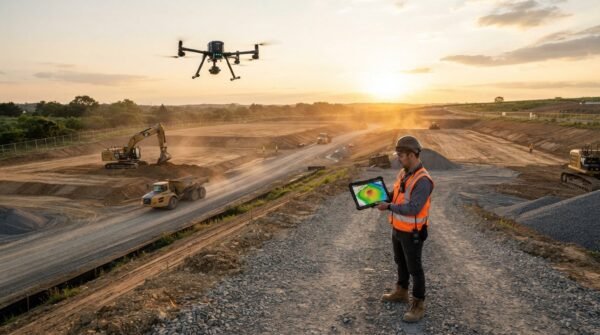
The release lets drone teams compare up to 10 surveys of a site over time, measure earthwork against design, check accuracy against their own ground control and plan security cameras on the 3D model.
SkyeBrowse announced a new set of features on October 20, 2026 for its videogrammetry platform for rapid 3D and 2D mapping. The release centers on SkyeBrowse Timelines and a group of construction tools: Cut/Fill, Cross-Sections, Stockpile Inventory, Bare Earth and a GCP accuracy check. It also adds Camera Coverage, a tool for planning security camera placement on a 3D model. The features are live now on the SkyeBrowse web app.
Teams that fly the same site every month already hold that job’s history in their SkyeBrowse models. Timelines gathers those surveys into a single view, and the construction tools answer questions that previously required exporting the scan into CAD. Those questions include how much dirt remains to move, what grade a haul road holds and how many tons of material sit in a yard.
“The person who flew the site should be able to answer the dirt question before lunch,” said Bobby Ouyang, co-founder and chief executive of SkyeBrowse. “Our customers told us they were juggling exports, spreadsheets and CAD round trips to get answers that were already in their scans, so we put those answers on the model.”
How SkyeBrowse Timelines works
Timelines places up to 10 surveys of the same site on one timeline. Users scrub a date rail to crossfade between surveys, press Play to step through every date or toggle Changes to color what appeared, disappeared or moved between two dates. Each new survey auto-aligns to a base survey. When the fit is off by about 4 inches (10 centimeters) or more, SkyeBrowse opens 3-point picking so the user can match three points manually. Measurements work on any date, and users can share timelines through a read-only public link that requires no login.
Construction and accuracy tools
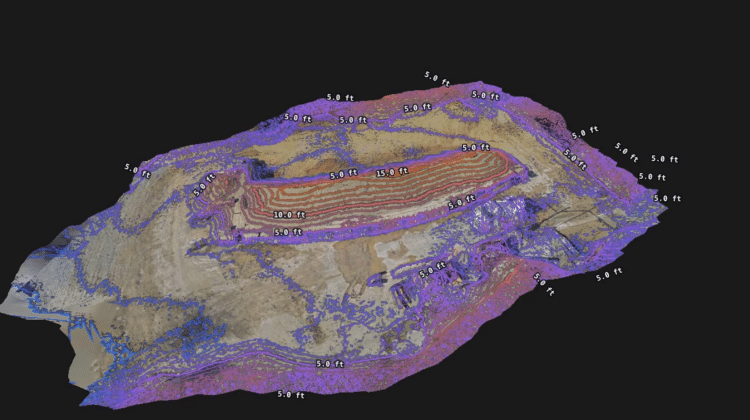
Cut/Fill compares the model against a design surface imported as LandXML, DXF or a GeoTIFF elevation file. It then drapes a heatmap on the scan showing remaining cut, fill and net volumes. Cross-Sections cuts station and offset sections along a centerline at a set interval and produces a haul-road grade report. Meanwhile, Stockpile Inventory measures many piles at once with several base options and converts volume to weight using each pile’s assigned material and density.
Bare Earth classifies ground points so the topographic map can switch between a surface model (DSM) and a bare-earth model (DTM). In addition, the GCPs tool checks a model against a customer’s own surveyed points imported from CSV, TXT or XYZ files. It reports RMSE in X, Y and Z, bias, NSSDA 95% accuracy and a pass/fail result against the user’s tolerance, without altering the processed model.
Camera Coverage for security planning
Camera Coverage lets public safety agencies, event security teams and site managers place cameras on the 3D model before installation. Users set each camera’s mount point, direction, height, field of view, range and tilt. SkyeBrowse then shades the visible area and reports the share of the site that at least one camera covers. A Suggest function recommends up to 10 camera positions. Separately, weather and sun-glare checks show how snow piles block views and when each camera will face the sun across a year.
Timelines, Camera Coverage and the construction tools are available on SkyeBrowse Pro models at $49.99 per model and on Public Safety and Enterprise plans. The update follows the company’s move to per-model pricing in September and its crash analysis and crowd count tools later that month. A $5 first Commercial model offer for new organizations includes Camera Coverage and every construction tool except Timelines.
More information is available at SkyeBrowse.
