


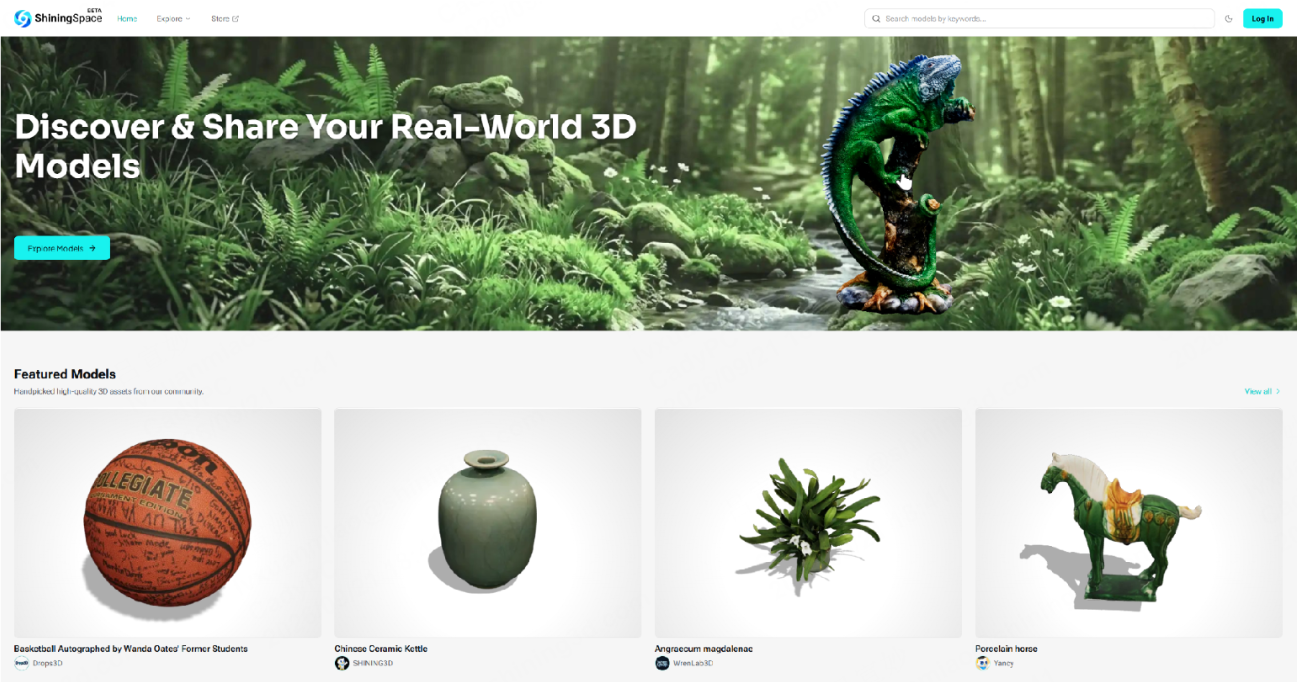
Shenzhen-based 3D scanning technology provider SHINING 3D has launched ShiningSpace, a browser-based digital platform designed to give 3D scanning users a single, organized place to store, view, edit, and share their models after the scan is done.
The launch addresses a problem that has followed the 3D scanning industry as the hardware has gotten more accessible. Capturing a real-world object as a digital file has become meaningfully easier over the past several years, but what happens to that file afterward has not kept pace.
Scan data tends to scatter across hard drives, folders, and external storage. Sharing a model with a colleague or client often means compressing a file and hoping the person on the other end has compatible software to open it. ShiningSpace is built around that challenge.
3D Models Without Dedicated Software
Part of what makes the platform’s approach practical is that it runs entirely in the browser, with no additional software required. The viewer supports ten different view modes, including texture, wireframe, point cloud, X-ray, and UV checker, among others, and gives users access to dimensional measurements, section analysis, and model quality checks without leaving the browser tab.
For someone who just needs to review a model or hand it off for feedback, that removes a meaningful layer of friction.
The platform accepts .stl, .obj, .ply, .gltf, .glb, .fbx, and .zip files, up to 500 MB per model, and is open to files from any scanner or 3D workflow, not just SHINING 3D hardware. Users of Einstar and EinScan Rigil series scanners can go a step further by linking their existing SHINING 3D Digital Cloud accounts and syncing scan data directly.
ShiningSpace is effectively replacing that older cloud service, which SHINING 3D users have been relying on for storage.
For users who want to do more than view, the platform also includes a browser-based setting editor for adjusting model transformation, camera position, background, and post-processing effects, alongside a free library of HDR materials and texture assets.
The sources describe these as tools for presentation and post-processing rather than geometry-level mesh editing, so users with more involved modeling needs will likely still rely on dedicated software for that side of their workflow.

More Control Over Model Sharing
Once a model is ready to share, users can distribute it via a public link or QR code and choose whether to make it available for download or limit access to view-only. That distinction matters for anyone who wants others to be able to inspect a model without handing over the underlying file.
A copyright infringement reporting policy is also in place, and the platform is designed to align with applicable privacy requirements, including GDPR for users in the European Economic Area and other applicable data protection laws.
SHINING 3D says ShiningSpace is intended for a broad range of users, from engineering teams and design studios to educators, makers, AR and VR professionals, and digital artists. That is a wide net, and it remains to be seen which communities actually find it useful in practice.
The platform is early, and a number of its planned features are still on the roadmap, among them a model marketplace, 3D modeling tools, a dedicated scan app, scan-to-print workflows, and support for 3D and 4D Gaussian Splatting (3DGS and 4DGS).
Early users who upload models during the launch period may receive promotional support from the platform, including featured exposure and social media promotion. Account creation supports email signup as well as login through Google or X.
ShiningSpace is now live.
Register now for AMA: Software 2026. Join 3D Printing Industry on 22 October for expert presentations, panel discussions and live audience Q&A exploring the software shaping additive manufacturing. Register here.
To stay up to date with the latest 3D printing news, don’t forget to subscribe to the 3D Printing Industry newsletter or follow us on Twitter, or like our page on Facebook.
While you’re here, why not subscribe to our Youtube channel? Featuring discussion, debriefs, video shorts, and webinar replays.
Featured image shows ShiningSpace platform UI. Image via SHINING 3D.
