

At Skydio’s Ascend 2026 conference in Las Vegas, the headlines centered on the massive new Skydio F10 Lightrunner, which is an autonomous, 100 mph fixed-wing aircraft paired with the multi-drone MegaDock.
You can read our full breakdown of the F10 and keynote announcements here.
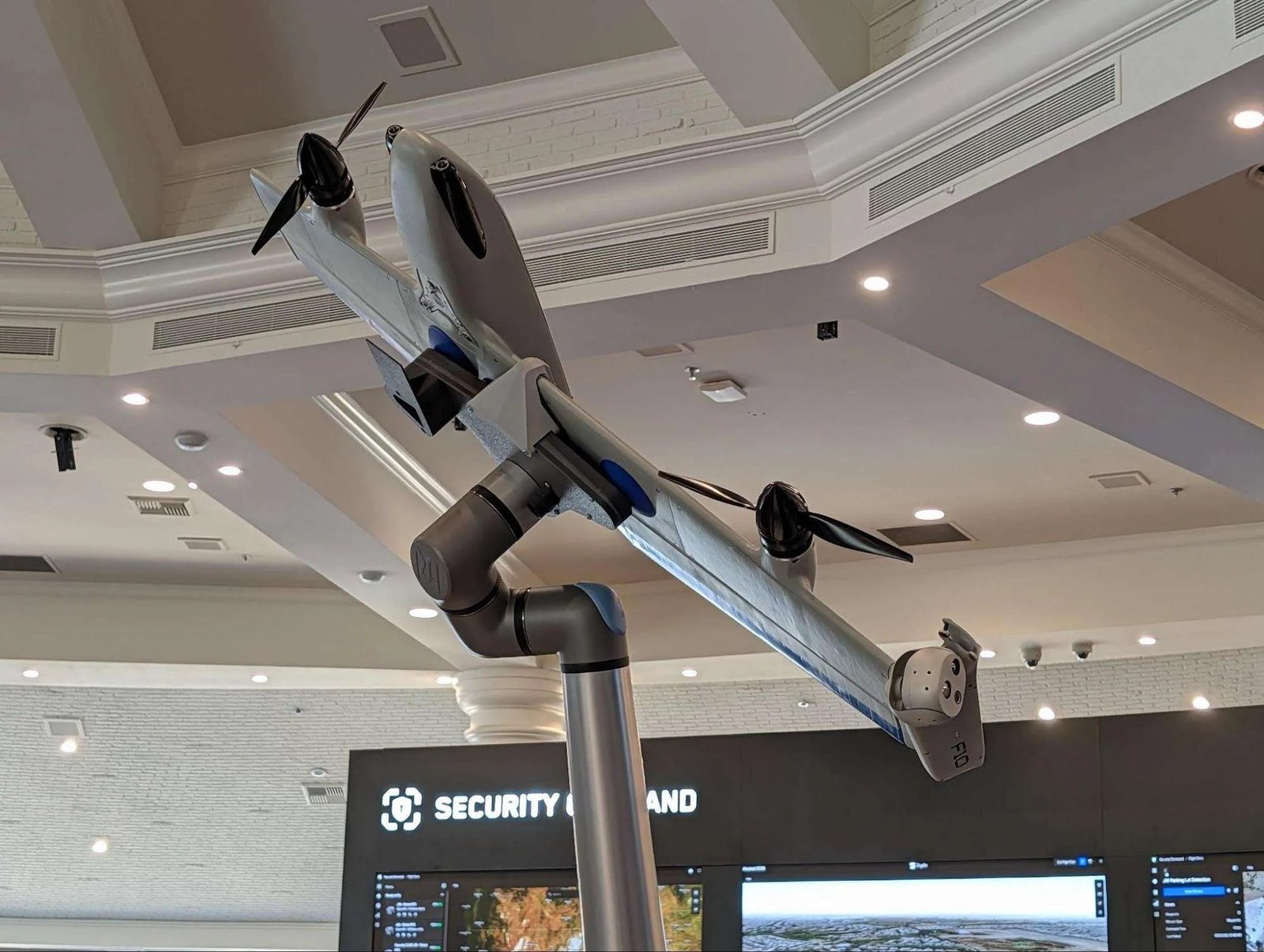
I was there in person at theSkydio Ascend 2026 conference, which was held in September 2026 at the JW Marriott in Las Vegas. And while the keynote and its subsequent news drops certainly had me on the edge of my seat, the real highlight of the event was watching how Skydio took over the JW Marriott and turned the entire hotel property into a live testbed. They had R10 aircraft in the air inside the conference halls, live feeds running across display boards for the different command centers and an outdoor station for the X10. There were engineers, product managers and hardware specialists on the floor ready to answer questions.
I spent most of my time in Vegas on the floor navigating mock tactical breach environments, testing high-visibility controllers by the pool and triggering remote dock flights thousands of miles away.
Here is a hands-on look at what it’s actually like to operate Skydio’s latest hardware and software ecosystem.
Testing tactical entry inside a hotel room with the Skydio R10
My favorite hands-on demo was at the R10 station, where Skydio converted several hotel guest rooms into mock tactical training environments. The setup mimicked a high-stakes search scenario, with breached walls, broken window frames and narrow hallways.
I picked up the controller and flew the R10 directly into the space. I flew the drone through cutouts in drywall, crossed through a simulated bedroom and brought it right inside a dark closet to inspect the corners. Along the way, I took live still photos and video clips to see what an operator on the outside would see.

The hardware itself is built for harsh use. I tested out the built-in strobe lights, the night vision sensors and the perch mode, which lets you set the aircraft down on a flat surface or ledge to keep a steady set of eyes on a room without burning battery life while hovering.


While public safety teams and tactical entry units are obvious candidates for this hardware, the industrial applications stood out just as much. The ability to fly a small, protected airframe into a toxic storage tank, abandoned mines, a confined pipe crawlway or a dangerous sector of a power plant means technicians can gather data without putting people in harm’s way.
See Skydio’s website for more information on the R10.
Hands-on with the X10, Controller 2 and the “Dropper Challenge”
From the indoor rooms, I headed outside to the terrace to spend time with the larger X10 platform.
Skydio paired the aircraft with its new Controller 2, and the first thing I noticed was the screen quality. Even under direct sun, the display remained sharp and readable without needing a sun hood.


To test flight precision, attendees (including myself) participated in the Dropper Challenge. Skydio rigged an X10 with its new Dropper accessory, loaded it with an emergency water rescue flotation device and tasked attendees with dropping it into a kiddie swimming pool.
Beyond the dropper unit, I was able to see the platform’s full array of modular payload attachments:
- The high-output spotlight for night missions
- The loudspeaker system for crowd control and tactical negotiations
- The emergency ballistic parachute system
- The RTK module for centimeter-accurate positioning
- The NightSense payload for full navigation in total darkness
Visit Skydio’s website for more information on the X10 attachments.


DFR Command: Orchestrating multiple drones in real time
The Drone as First Responder (DFR) station looked like a working real-time crime center or emergency operations desk. Rather than focusing on a single remote control, this demo focused on coordinating a fleet of aircraft across an active incident.
Using Skydio DFR Command, we launched an X10 from a nearby outdoor dock to investigate some coordinates. The drone moved to the target area and found an open door.


Next — while keeping the X10 in flight to maintain an overhead view of the entrance— we remotely activated an R10 stationed in a dock. The R10 took off, flew through the open door and began clearing the interior rooms. The software displayed live video feeds from both drones simultaneously alongside an integrated map for spatial context.
Visit Skydio’s website for more information on DFR Command.
Asset Command: Controlling a utility dock in Florida — from Vegas
From the conference hotel in Las Vegas, we took control of an X10 sitting inside a dock at an active utility site in Florida. Skydio holds a system-wide Beyond Visual Line of Sight (BVLOS) waiver from the FAA, allowing its operators to fly remote missions nationwide without an on-site visual observer.


The workflow is built around infrastructure GIS data. A power company can load its existing GIS mapping files directly into the platform, giving the system the exact location, height and count of every utility pole along a circuit.
To run an inspection, you select the line segment on the digital map and click “Start.” The drone leaves the dock, flies to each pole, lines up the camera shots, captures high-resolution imagery from set angles and lands back on the dock.
The cloud system automatically tags the media directly to the matching asset ID in the database. During a storm-response drill, we brought up an incident marker, dispatched an autonomous patrol to inspect line damage and pulled up archive photos side by side with the live feed to spot damaged insulators on the spot.
Visit Skydio’s website for more information on Asset Command
My takeaway on Skydio’s new products: Removing operational friction
Across all of these hands-on stations, my biggest takeaway was just how much effort Skydio has put into making flights setup-free.
Traditional drone workflows require long pre-flight checklists, compass calibrations, waiting for satellite locks and careful manual flying. Skydio’s mix of self-flying drones, automated docks and centralized software completely changes that. You set down the dock, set your boundaries on screen and let the drone do the rest.
In most organizations, whether police departments, power companies or security guards, employees already have busy full-time jobs. They need drones to be a tool in their toolbox, not their entire job description. A line worker or officer cannot spend hundreds of hours mastering complex manual flight controls.
By handling flight navigation, obstacle dodging and data sorting automatically, Skydio turns drones from a tricky specialized skill into a simple tool anyone can use.
That said, getting the full benefit of what Skydio offers requires buying into the entire ecosystem.The only way to get that seamless integration is if you use Skydio’s hardware, software and docks together.
Editorial disclosure: Skydio covered the hotel and flight costs for the author to report on the Skydio Ascend conference in-person. Skydio had no editorial oversight on our reporting, and covering travel costs does not influence our opinions or how we write about Skydio on TheDroneGirl.com
Related
Discover more from The Drone Girl
Subscribe to get the latest posts sent to your email.
